 30 Days FREE Trial on Every Registration
  Contact Us
 info@menurepo.com


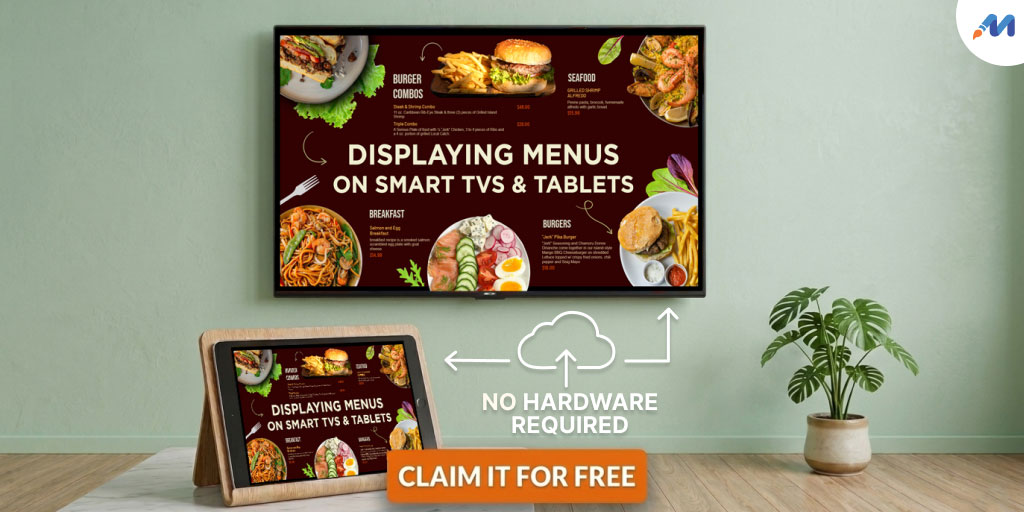
TV menu vs tablet menu is one of the most problematic dilemmas that one can encounter when starting an investment venture on digital signages for restaurants or food outlets.
People like to invest on something that is quick and easy to adapt.
The idea of adapting digital signages is not just about being high-tech. In addition to helping with cost cutting, improving dining experience, strengthening customer communication; the biggest benefit of adapting digital signages in your business is its adaptability to any screen resolution or format you want to adapt. This one solution to every screen resolution cuts off the TV menu vs tablet menu dilemma that investors, especially restaurant owners often encounter when they are thinking about making the switch.
The idea of a digital signage is simple to understand at its core – sharing messages like videos, images, announcements, menus on any digital screen size powered by software.
Hence, investing in digital signages can help to replace other additional costs such as:
- Traditional printed menus
- Menu boards over the counter
- Posters advertising promotions or specials
- Window signs or pavement boards
- In-store paper signage
A digital signage installation does not have to necessarily come with complicated setups, confusing dashboards, stressful resource hiring, etc. In fact, you can even use consumer-grade TVs for displaying digital signages.
Come let us take a look into some of the alternatives that you can use for digital signage menu displays without investing on extra hardware.
1. Compatible menu design software solution to compare TV menu vs tablet menu
If after fretting over TV menu vs tablet menu, you have finally decided to go for a consumer-grade TV, then for small business ventures it is an excellent choice to start with.
However, for displaying a digital signage via a consumer-grade TV means there are certain factors that you need to ensure.
- Use a licensed content management solution for menu designs like MenuRepo.
- Use your TV for indoor digital signage displays only.
- Use a 30 minutes cooling time interval after every 9 to 10 hour display.
2. Easy to access QR codes
Almost everyone has a smartphone with in-built scanner today, which makes it easy to scan QR codes and directly access more information from a business site.
QR codes are now used everywhere as an important point of communication, be it on social media platforms, printable pamphlets or restaurant menus. You can it displayed on your TV screen or tablet screen, thus eradicating the dilemma encountered on whether to invest in TV menu vs tablet menu. It is one of the smartest and easiest way to enable customers to view information about your business.
Similarly, for QR code display, you would need a compatible content management solution that comes with cloud-support for easy design and publication.
3. Built-In web browser
One of the most simple and cost-effective method of turning a smart TV into digital signage is using a web browser.
- a cloud-supported web application that will enable you to design a digital signage template and publish it directly to your TV.
- A standard Smart TV or connected TV (CTV) like Amazon Fire.
- An internet connection.
Internet connectivity is one of the key features of a Smart TV. Most cloud-supported content management applications enable users to avail a digital design in multiple formats like jpeg, pdf, video. They can also share the design via URLs.
The two ways via which a design template created via a content management or content design software can be displayed on the TV is
- Manual display via thumb drive, which is actually an offline method to display your menu content.
- Remote display via a cloud url generated from the could-supported content management application and shared via the web browser to display the design on Smart TV or CTV.
4. Samsung apps
Samsung offers several apps for displaying digital signages. You can go for some fantastic options like Samsung Signage Mobile or Samsung DeX or Smart View.
- Samsung Signage Mobile – With this, users can connect the phone to Samsung Signage / Flip displays via SmartView+. It offers easy setup and enables users to download and share content in different formats without USB support.
- Samsung DeX – With this, Samsung phone users can project a desktop-like experience from their phone on to a connected TV or display for presentations or big-screen reviewing.
- Smart View – a useful app for displaying personalized content and can also function as a soft remote for supported Samsung smart TVs.
Conclusion for TV menu vs tablet menu
Adapting digital signages for restaurants should be a smart approach. It becomes smarter and cost-effective when you know the key factors that drive your business venture and consider them to select a cost-effective solution for displaying digital signage content.
Frequently Asked Questions
What is digital signage?
Digital signage is a powerful medium of communication where digital screens are used to convey advertisements or other informational materials. The information displayed can be static or dynamic. Example – posters, menus, banners; or dynamic like videos, animation, etc. With digital signage, information can be shared in any format on any screen size.
Why do I need digital signage?
Digital signages is more than just displaying content. It is a visual and audio medium of communication, which helps to enhance brand engagement by sharing the latest updates and statutes on the digital screen for customers. Example – displaying ready-to-take away items for customers waiting in the queue for their orders.
Can a digital signage design software be used for multiple venues?
Yes, a digital signage design software is connected to the cloud. So any menu design that you create can be pushed for publication across multiple display screens that are located in different regions.
How complicated is it to set up digital signage?
Setting up a digital software requires no additional setup complications. All you need to do is create an account with a digital signage solution like MenuRepo and configure the display devices you are going to use for displaying the content. Since digital signages come with cloud support, it cuts off the additional hardware setup requirement.
How much does setting up digital signage cost me?
Digital signage setups come with a minimal monthly subscription cost. If you already have hard setups ready, then purchasing the software license is all you will need to think of. Do reach out to a digital signage customer representative to get a detailed estimation idea.
